


If you open Claude.ai and see a plain message that says “Rate exceeded,” it can feel sudden and confusing. One moment you’re chatting, the next moment nothing works. Messages won’t send. Refreshing the page doesn’t help.
This error matters because it blocks access completely, even though the site itself is still online. The good news is that this is usually temporary. This article explains what the rate exceeded error means, why it happens, how long it lasts, and what you can do right now to fix or avoid it.
What Does “Rate Exceeded” Mean on Claude.ai?
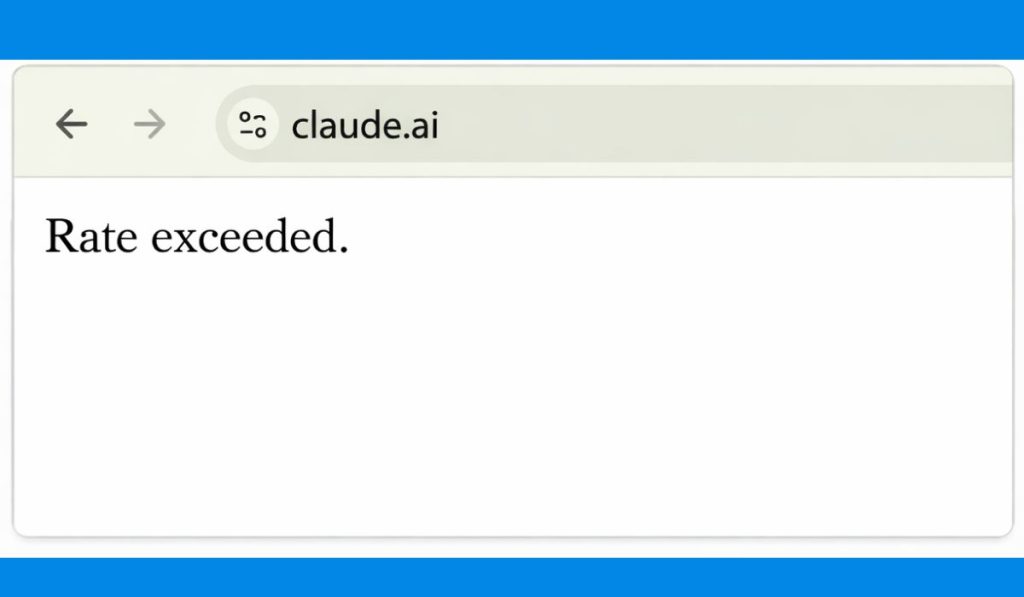
The “Rate exceeded” message means Claude has limited how many requests your account or device can send in a short period of time. Claude AI uses rate limits to protect its systems from overload and misuse. When too many requests come in too quickly, Claude pauses access instead of letting usage continue.
This is similar to an HTTP 429 error, even if you don’t see that code directly. The system is telling you to slow down and wait. It does not mean your account is banned or broken.
Why You’re Seeing This Error
Most users trigger this error without realizing it. It’s usually about request timing, not bad behavior.
Common reasons include:
- Sending many prompts back-to-back without waiting
- Refreshing the page repeatedly when Claude feels slow
- Opening Claude.ai in multiple tabs or devices at once
- Hitting hourly or daily usage limits on a free account
- API users exceeding request or token quotas
- IP-based throttling from shared networks
- Browser sessions stuck in a loop
Free users tend to hit limits faster, but paid users and API users can also see this if usage spikes suddenly.
How Long Does the Rate Exceeded Error Last?
In most cases, the error lasts a short time. For chat users, limits often reset within a few minutes. Sometimes it can take 15 to 30 minutes. For API users, limits may reset hourly or daily depending on the plan.
If Claude is having high traffic or system load, the wait can be longer. The error clears automatically once the limit resets. There’s no manual unlock button.
Fixes for Claude AI Rate Exceeded Error
You don’t need to try everything. Start simple and move forward only if needed.
Fix #1 – Wait Before Trying Again
This is the most important fix. Stop refreshing the page and wait. Give it at least 10 minutes before trying again. Rate limits reset on their own. Refreshing too often can actually extend the block.
Fix #2 – Close Extra Tabs and Sessions
Claude counts activity across tabs and sometimes across devices. If you have Claude open in more than one browser tab, close all of them. Reopen just one tab after waiting. This reduces concurrent requests and helps the system reset your session.
Fix #3 – Clear Browser Cache for Claude.ai
Sometimes, the rate-exceeded message gets stuck due to cached session data.
To clear it:
- Open your browser settings
- Clear site data or cookies for claude.ai only
- Reload the site and log in again
This doesn’t remove your account. It just resets the browser session.
Fix #4 – Reduce How Fast You Send Prompts
Claude tracks how quickly prompts arrive. Sending messages too fast, even normal ones, can trigger throttling.
Slow down a bit. Wait a few seconds between prompts. Avoid clicking send multiple times. This helps prevent the error from happening again.
Fix #5 – Switch Network or Device (If Needed)
In some cases, the limit is tied to your IP address. This is common on shared networks, offices, or public Wi‑Fi.
If the error won’t clear:
- Switch from Wi‑Fi to mobile data
- Try another device
- Avoid VPNs that rotate IPs rapidly
This can help if your IP was temporarily flagged.
Fix #6 – API Users: Check Your Quotas
If you’re using Claude through the API, this error usually means you’ve hit request or token limits.
Check:
- Your API usage dashboard
- Response headers like
Retry-After - Current request rate and concurrency
Reducing request bursts or adding retry delays usually fixes this.
When Should You Contact Claude Support?
If you’re a paid user or API customer and the error doesn’t go away after a long wait, it’s reasonable to contact support. Reach out to Anthropic with your account details and the time the issue started.
They can confirm whether the limit is expected, temporary, or related to a system issue.
How to Avoid the Rate Exceeded Error in the Future
You can reduce the chances of seeing this error again by changing a few habits:
- Avoid rapid prompt spamming
- Don’t refresh the page repeatedly
- Use one Claude session at a time
- Space out longer conversations
- Monitor API usage if you’re a developer
- Clear cookies occasionally
- Upgrade your plan if you hit limits often
Small pacing changes make a big difference.
Conclusion
The “Rate exceeded” error on Claude.ai means you’ve temporarily hit a usage limit. It’s not a ban and not a crash. It’s a pause designed to protect the system.
Most of the time, waiting a few minutes is enough. Avoid refreshing too much, slow down your prompts, and keep usage steady. If the problem keeps coming back, check your usage limits or contact support.
If this guide helped, share it with others who might be stuck. If you’ve seen this error behave differently, leave a comment so others can learn from it.
