



Sometimes a tune gets stuck in your head, but you can’t remember the words. Google’s Hum to Search feature helps you find the song by humming, singing, or whistling into your phone. You don’t need lyrics, recordings or exact notes. This tool uses Google’s audio recognition technology to match your melody with songs in its database. It works on Android through Google Assistant and on iPhone through the Google app.
What is Google’s Hum to Search?
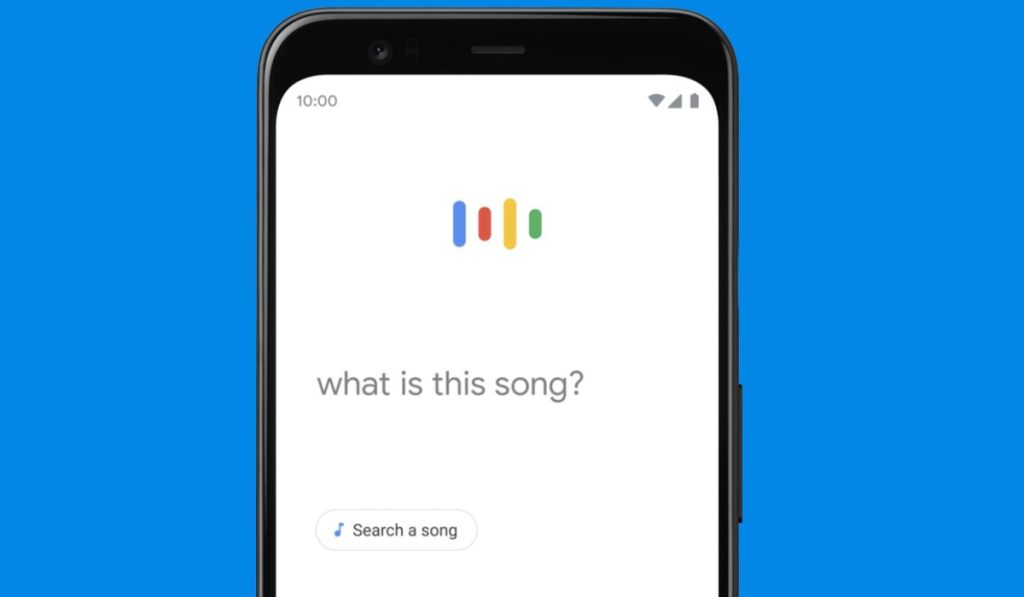 Hum to Search is a music identification feature inside Google Search. It lets users find songs using humming, whistling or singing instead of recorded audio. The feature works with Google Assistant on Android and with the Google app on iOS. It uses Google’s melody recognition system to guess the song based on your tune. The system focuses on the shape of your melody, not your singing quality, so that anyone can use it easily.
How to Use Hum to Search on Your Phone
You can use Hum to search on Android and iPhone. It works through your microphone and identifies the melody in real time.
On Android
- Say “Hey Google” to open Google Assistant
- Ask “What’s this song?”
- Start humming, whistling or singing the melody
- Wait for the results shown on the screen
On iPhone
- Open the Google app
- Tap the microphone icon
- Tap the “Search a song” option
- Hum or whistle for a few seconds
- Check the suggested matches
You don’t need perfect pitch. The system listens for the shape and rhythm of your melody, then compares it with a large song database.
How Hum to Search Works Behind the Scenes
Hum to Search uses advanced Google AI models to understand sound. When you hum, the phone turns your audio into a digital pattern. This pattern is cleaned to remove background noise. Then the system looks for the core melody line, focusing on pitch changes, rhythm and overall sound structure.
Google’s neural networks convert this melody into an “audio fingerprint”. This fingerprint is a unique pattern that represents your version of the tune. The AI compares your fingerprint with millions of fingerprints in Google’s song library.
If the pattern is close enough to a known melody, Google shows a match. It may give several options ranked by similarity.
How Google Converts Humming Into a Song Match
Google analyzes your audio using simple steps:
- It captures your hum as raw audio
- It turns the sound into a spectrogram
- It finds the melody contour, which is the shape of the tune
- It extracts pitch and rhythm patterns
- It builds an audio fingerprint
- It compares that fingerprint with known songs
A melody has a unique contour that stays the same even if you hum off-key. This is why the system can find matches without needing a perfect performance.
Accuracy and Limitations
Hum to Search works well with clear, steady melodies. But it has limits.
It may struggle if:
- The environment is noisy
- The humming has no clear rhythm
- The tune is too short
- The song is rare or not in Google’s library
- The user changes pitch too much
Singing or humming louder does not always improve results. A simple, clean tune works better.
How Hum to Search Compares to Other Tools
Shazam and similar apps identify songs by listening to actual music recordings. They match the full audio track, including instruments and vocals. Hum to Search is different because it does not need the original audio. It listens only to your melody and uses machine learning to guess the song.
This makes Hum to Search useful when a song is stuck in your head but you don’t have the audio playing anywhere.
When Hum to Search Works Best?
Here are the best conditions for accurate results:
- Quiet surroundings
- A steady and clear humming rhythm
- A melody that you repeat for at least 10 seconds
- No sudden pitch jumps
- A simple tune without background noise
These small steps help the AI detect your audio fingerprint more reliably.
Privacy and Data Handling
Google processes humming audio by converting it into a fingerprint. The system focuses on melody patterns, not your voice identity. The audio snippet goes through Google’s servers for matching, then it is not stored as a personal recording. This helps the tool work while keeping user identity separate from the melody analysis.
Conclusion
Google’s Hum to Search is a simple tool that helps you find songs by humming or whistling. It uses machine learning, melody recognition and audio fingerprinting to match your tune with songs in Google’s library. It works well when you remember the melody but not the lyrics. If a song ever gets stuck in your head again, this tool gives you a quick way to discover it. If this guide helped you, feel free to share or leave your thoughts.
